How to Join a Google Meet Through Google Classroom
1. Open your Chromebook
Turn on your Chromebook and sign in with your school Google account.
2. Open Google Classroom
Go to Google Classroom.
Select the class you need to join.
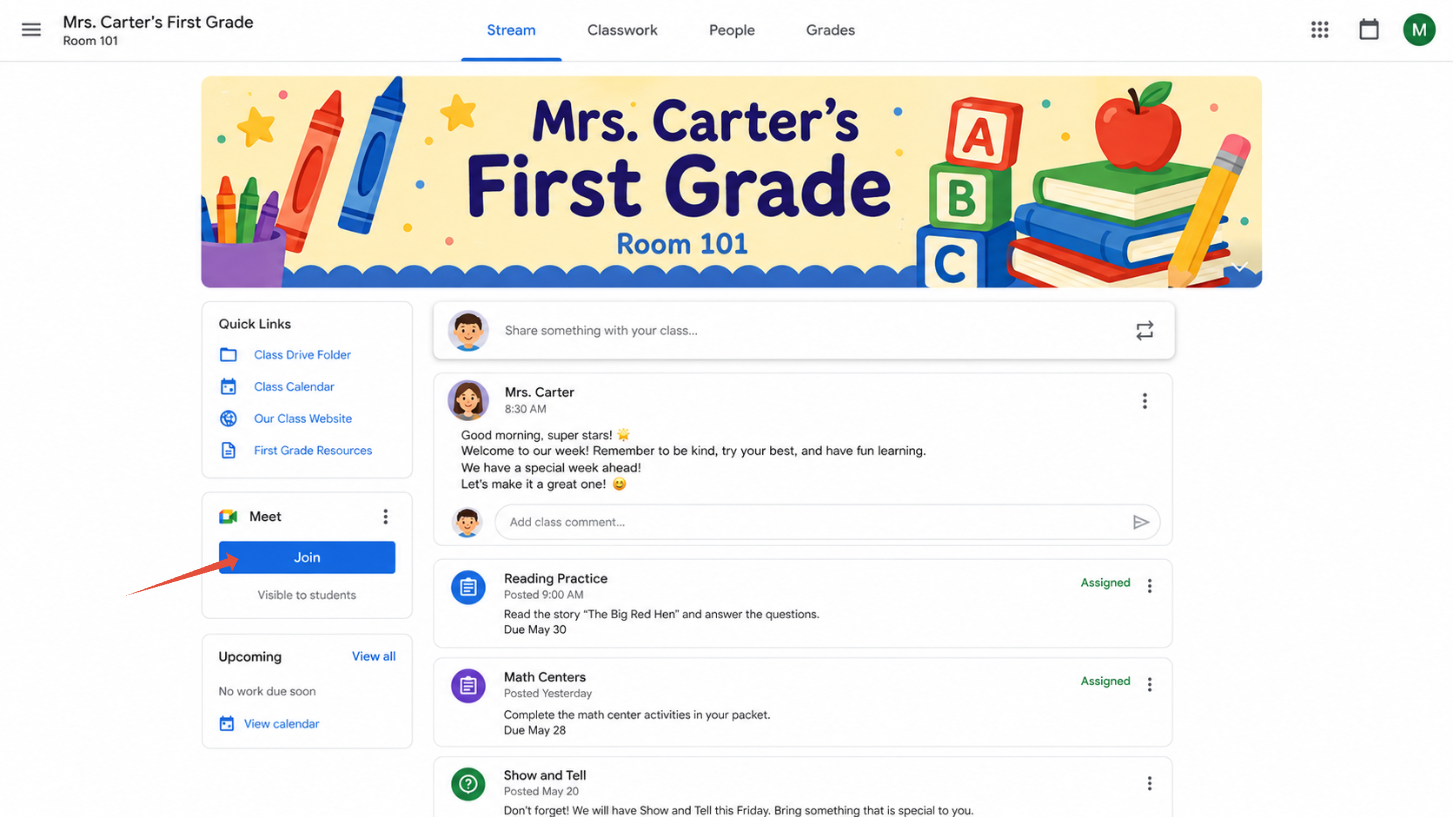
3. Find your Google Meet
Look near the top of your class page for the Google Meet link.
Click Join Meet.
4. Check your settings
Make sure your microphone and camera are set the way you want them.
If needed, click the microphone or camera buttons to turn them on or off.
5. Join the meeting
Click Join now.
You are now in the Google Meet with your teacher and classmates.
Was this article helpful?
That’s Great!
Thank you for your feedback
Sorry! We couldn't be helpful
Thank you for your feedback
Feedback sent
We appreciate your effort and will try to fix the article