How to Log In to Your PBSD Chromebook
Follow the steps below to sign in to your Plum Borough School District Chromebook.
Step 1: Enter Your Student Username
- Turn on your Chromebook.
- On the Sign in to your Chromebook screen, enter your student username in the Enter your email box.
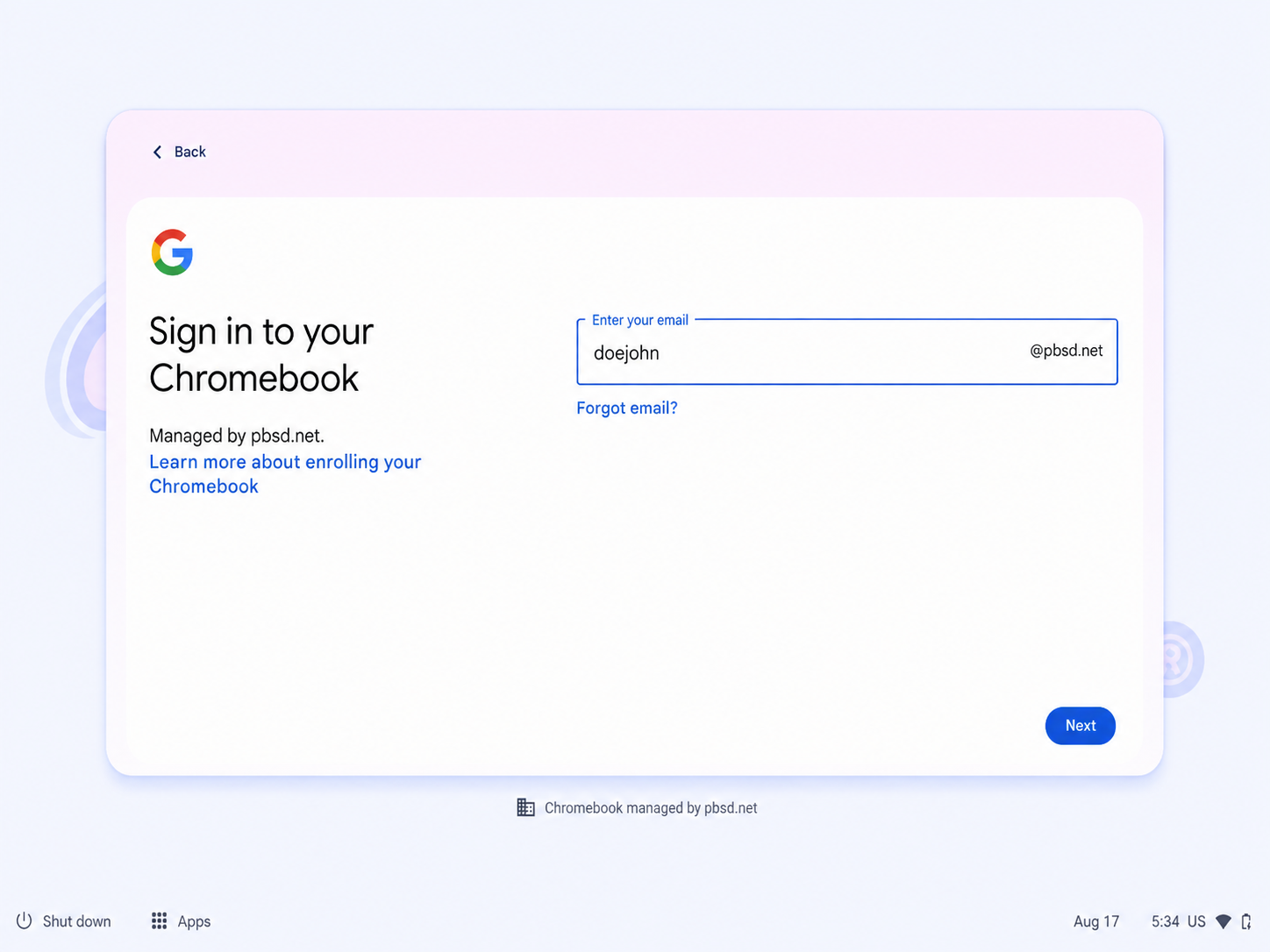
- You only need to enter the username portion. The Chromebook will automatically add @pbsd.net.
- Click Next.
Step 2: Enter Your Password
After clicking Next, you will see the Google Welcome screen.
- Enter your current PBSD student password in the Enter your password box.
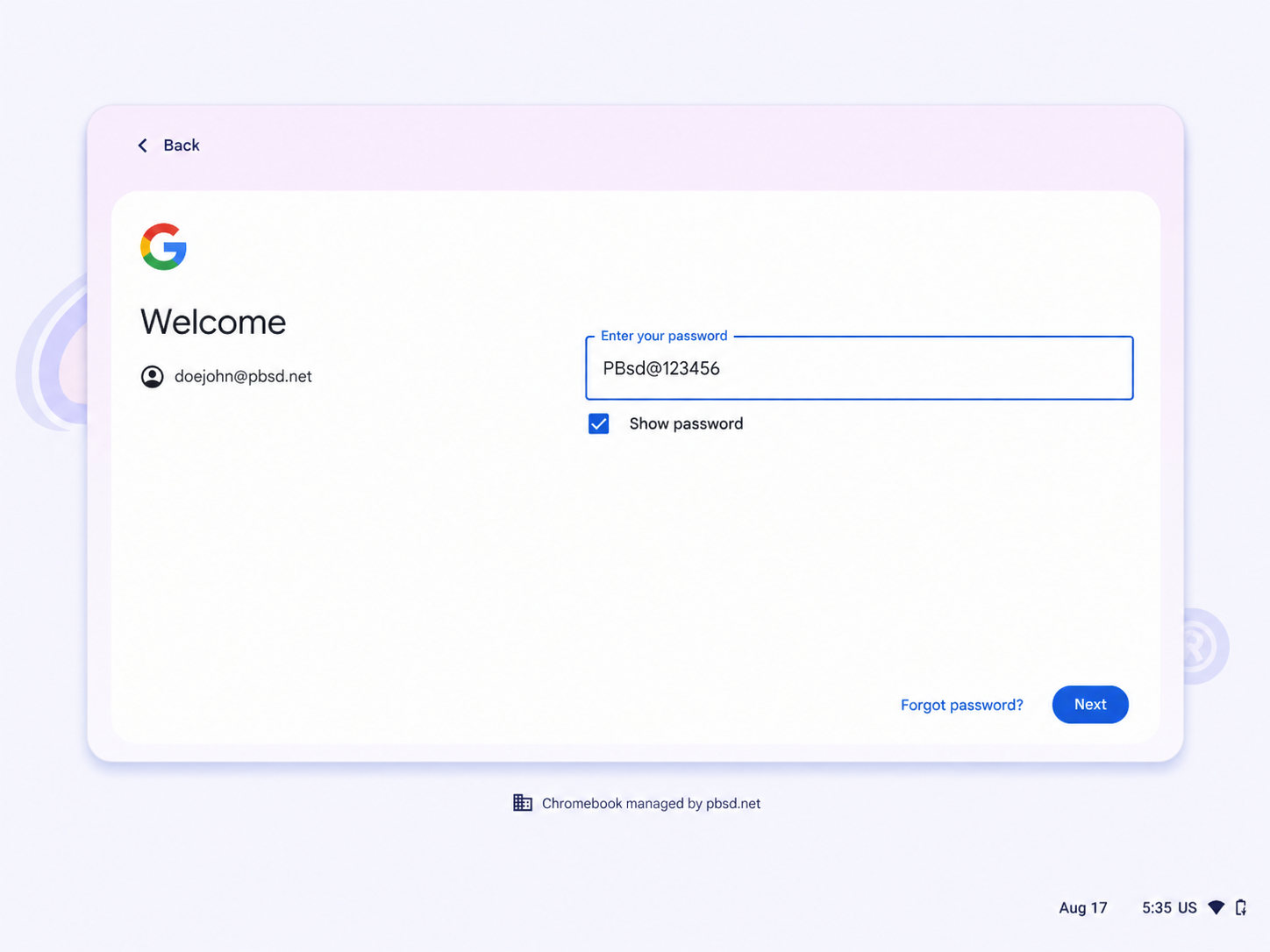
- If needed, select Show password to make sure you typed it correctly.
- Click Next to finish signing in.
Was this article helpful?
That’s Great!
Thank you for your feedback
Sorry! We couldn't be helpful
Thank you for your feedback
Feedback sent
We appreciate your effort and will try to fix the article